In the competitive landscape of modern web design, animated background CSS has emerged as a pivotal tool for creating captivating digital experiences. These dynamic visuals move beyond static imagery, employing pure CSS animations to build depth and narrative. By leveraging powerful properties like CSS keyframes and CSS transformations, developers can craft everything from subtle gradient sweep animation to complex particle systems, all without JavaScript. This approach results in performance-friendly animations that enhance user engagement without compromising site speed, establishing a new standard for immersive and visually stunning websites that leave a lasting impression on every visitor.
Web design has come a long way. Backgrounds were once simple and static. Now, they are dynamic and engaging. This change is huge for user experience. Animated background CSS is leading this change. It turns ordinary sites into amazing digital spaces. These futuristic CSS backgrounds capture attention and make brands memorable.
The future of web design is here. It uses CSS background effects to create deep experiences. Think of sites that feel like interactive art. This is the power of modern CSS animated backgrounds. They use motion and depth to tell a story. This guide will show you how to create these effects. It focuses on pure CSS animations for great results.
Core Background Effects Every Developer Should Master

Mastering the basics is your first step. Strong fundamentals let you build amazing things. CSS background effects are your foundation. They ensure your designs are solid and work everywhere. These core skills are essential for all modern projects.
Let’s explore these key techniques. They are the building blocks for more complex work. Understanding these will make you a better developer. You will create performance-friendly animations with ease.
Advanced Gradient Systems & Color Theory
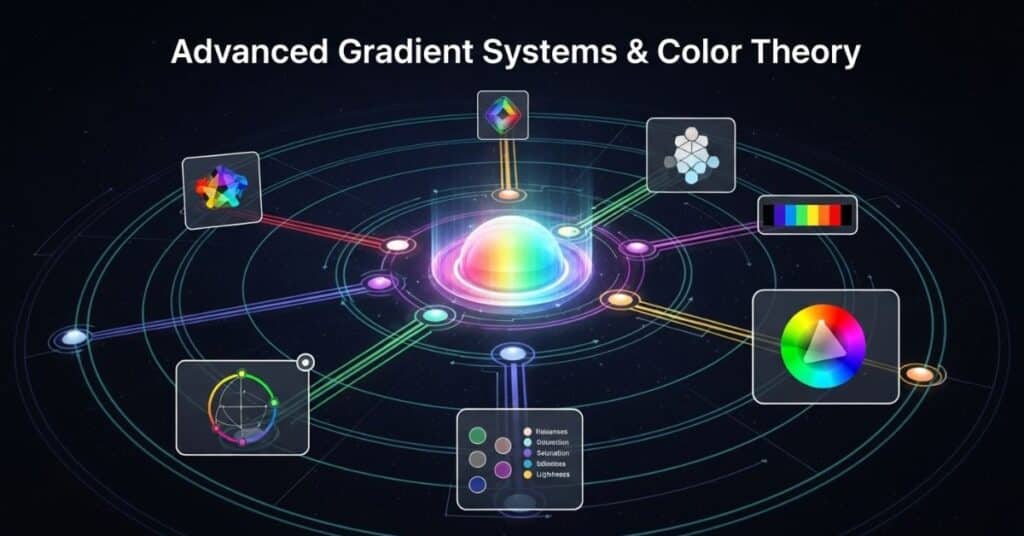
Modern CSS gradient animation is powerful. It uses multiple colors and blend modes. This creates smooth, flowing backgrounds. You can make gradients that look like a sunset. The @property rule allows for smooth color shifts. This makes your moving background CSS look very professional.
Color theory is also important. Choosing the right colors sets the mood. Warm colors can feel exciting. Cool colors can feel calm. Using CSS variables makes it easy to change colors later. This is key for keeping your designs consistent and easy to manage.
CSS Background Pattern Generators 2026
Creating patterns by hand takes time. New tools use AI to generate them instantly. These tools create unique background patterns for your projects. They output clean, ready-to-use code. This saves you hours of development work.
You can find generators for many styles. Some focus on geometric patterns. Others create organic, flowing designs. These CSS-only effects are very lightweight backgrounds. They add visual interest without slowing your site down. This is a huge win for background optimization.
SVG Background Effects & Optimization
SVG is perfect for futuristic CSS backgrounds. It stays sharp on any screen. You can animate SVG paths with CSS transformations. This creates effects like morphing shapes. It’s a great way to add modern CSS effects to your site.
But you must optimize your SVGs. Large files can slow your site. Use tools to clean up the code. This is a key part of background optimization. A well-optimized SVG loads fast and looks great. It is a cross-browser compatible choice for website branding effects.
Multi-Layered Background Image Effects
Depth makes a design feel real. You can create depth with layers. Stack multiple images in your CSS. This is perfect for parallax scrolling effects. Each layer can move at a different speed. This creates a amazing sense of space.
This technique is great for hero section backgrounds. It makes the hero section feel alive. You can also use it as section dividers on a page. The background-blend-mode property helps layers mix together. This can create beautiful and unique abstract backgrounds.
Next-Generation Scroll Effects & Parallax 2.0
Scrolling is no longer just moving down a page. It can be an event. Scroll-triggered animation makes this happen. Backgrounds can change as you scroll. They can tell a story that unfolds with the content. This makes the user’s journey more engaging.
Parallax scrolling effects are also evolving. They are becoming more complex and interesting. New CSS features allow for finer control. You can create effects that respond to scroll speed and direction. This takes animated background CSS to a new level.
3D Parallax Scrolling with CSS Transform
You can create a 3D world with CSS. The transform3d() property is the key. It moves elements in a three-dimensional space. This makes CSS background effects feel incredibly deep. Objects in the front move faster than objects in the back.
This effect is perfect for landing page animations. It gives a strong impression of quality and innovation. It works well for product showcases. This technique uses GPU-accelerated CSS animations for smooth performance. It is a sure way to impress your visitors.
Scroll-Triggered Animation Sequences
Imagine a background that changes at certain points. This is scroll-triggered animation. It can highlight important content. For example, a color shift can emphasize a call-to-action button. This guides the user’s eye effectively.
You can create these sequences with CSS keyframes. They make the website feel like a interactive story. This is a powerful tool for background animations for hero sections. It makes the first screen of your site unforgettable.
Depth-Aware Background Effects
This advanced effect uses the user’s perspective. It can react to mouse movement or device tilt. Elements in the background shift slightly. This creates a subtle but powerful connection. The user feels like they are looking into a real space.
This makes your futuristic CSS backgrounds feel smart and responsive. It is a cross-browser compatible effect when implemented carefully. It adds a layer of sophistication to portfolio sites and creative agencies.
Multi-directional Parallax Techniques
Websites are not just vertical anymore. Many now have horizontal scrolling sections. Your animated background CSS must work in all directions. This requires planning your animation timelines carefully.
You can define different animations for vertical and horizontal scroll. This ensures a seamless experience. It is essential for mobile-friendly background animations. This approach future-proofs your designs for all layout types.
AI-Powered & Dynamic Background Animations

Artificial intelligence is changing web design. AI can now generate unique backgrounds. These AI-powered CSS backgrounds are dynamic. They can change based on many factors. This makes each user’s visit a unique experience.
These systems can react to real-time data. The background could reflect the weather or time of day. This creates a context-aware background system. It makes the website feel alive and connected to the real world.
AI-Generated Background Patterns
Tools like Midjourney can create images from text. You can ask for a “neon grid” or “liquid marble.” The AI generates a unique pattern. You can then animate this pattern with CSS keyframes. This workflow is fast and creative.
This method allows for no JavaScript animations that are truly unique. It opens up a world of abstract backgrounds that were hard to create before. It is a great way to explore 80s retro aesthetics or synthwave backgrounds easily.
Real-time Data Driven Backgrounds
Your website’s background can show live information. It can connect to an API for data. For example, it could change color with the stock market. Or it could pulse with the rhythm of a live music feed. This is real-time data driven design.
This creates a living website. It is a powerful form of data visualization. This technique often uses CSS variables to update values quickly. It turns your CSS animated backgrounds into an information display.
Context-Aware Background Systems
A smart website respects user preferences. The prefers-color-scheme media query checks for dark mode. Your animated background CSS can switch between light and dark versions. The prefers-reduced-motion query helps users with vestibular disorders.
Using these queries is a must for accessibility-friendly animations. It shows you care about all your users. This is a key part of modern, ethical web development. It makes your futuristic CSS backgrounds inclusive.
Personalized User Background Experiences
Websites can remember user choices. Using local storage, you can save a user’s background preference. When they return, the site uses their chosen CSS background effects. This creates a personal connection.
This level of personalized user experience builds loyalty. It makes users feel valued. It is a simple way to make your website branding effects more engaging and memorable over time.
Advanced Interactive Background Effects
Interaction makes a website fun. Interactive backgrounds respond to the user. They create a two-way conversation. This can be as simple as particles following a cursor. Or as complex as voice-controlled changes.
These effects make users feel involved. They are no longer just watching. They are participating. This greatly increases engagement and time spent on the site.
Cursor-Aware Particle Systems
You can create a field of particles with CSS. With a little JavaScript, they can react to the mouse. They might flow around the cursor or be attracted to it. This provides instant, delightful feedback.
This effect is a popular particle effects CSS technique. It makes the interface feel alive. It is perfect for portfolio sites to showcase technical skill. It is a great example of subtle background animations that engage.
Voice-Controlled Background Animations
The Web Speech API lets browsers understand voice commands. A user could say “change color” to alter the animated background CSS. This is a cutting-edge feature for futuristic CSS backgrounds. It feels like magic to the user.
This is ideal for experimental projects and tech demos. It shows a deep understanding of modern web capabilities. It is a sure way to make a lasting impression on your visitors.
Gesture-Responsive Background Effects (Mobile)
Mobile users interact by touching and swiping. Your CSS background effects can respond to these gestures. A swipe could change the color gradient. A tap could make shapes pulse. This makes the mobile experience feel native and smooth.
Using @media (hover: none) helps you target touch devices correctly. This ensures your mobile-friendly background animations work perfectly. It is essential for cross-browser compatible and cross-device design.
Game-Inspired Interactive Backgrounds
Games are great at keeping attention. You can use game-like mechanics in your background. Users could “collect” floating shapes. Or solve a simple puzzle to unlock a new visual theme. This is called gamification.
This approach significantly increases user engagement. It turns a passive visit into an active experience. It is a powerful use of interactive backgrounds for branding and fun.
Performance-Optimized Background Effects

A beautiful but slow website is a failure. Performance is crucial. Every futuristic CSS background must be built for speed. This means using efficient code and loading assets wisely.
Performance-friendly animations are not optional. They are a requirement. A fast site keeps users happy and ranks better in search engines. Background optimization is a key skill for modern developers.
Lightweight Animation Techniques
Some CSS properties are cheap to animate. opacity and transform are the best. They are handled by the GPU. Other properties like width or height are expensive. They can cause lag and jank.
Sticking to opacity and transform is the golden rule. This ensures your CSS animated backgrounds run at a smooth 60 frames per second. It is the foundation of lightweight backgrounds.
GPU-Accelerated Background Effects
You can tell the browser to use the GPU. The will-change: transform; property does this. It moves the element to its own layer. This layer is handled by the graphics card. This is GPU-accelerated CSS animations.
This technique is vital for complex scenes. It prevents the animation from slowing down the rest of the page. It is a must for performance-optimized CSS animations.
Lazy Loading for Complex Backgrounds
Don’t load a heavy background video right away. Use the loading=”lazy” attribute for images. For more control, use the Intersection Observer API. This loads the background only when it’s about to be seen.
This dramatically improves initial page load time. It is a critical background optimization strategy. It ensures your full-page backgrounds don’t hurt your site’s performance.
Adaptive Quality Based on Device
Not all devices are the same. A powerful desktop can handle more than an old phone. You can use the Network Information API to check connection speed. Then, you can serve a simpler, lightweight background to slow connections.
This intelligent adaptation is the future. It provides the best possible experience for every user. It is a key principle for responsive background effects.
Future-Ready Background Generators & AI Tools

You don’t have to build everything from scratch. New tools are emerging that help you create fast. These generators use AI and visual interfaces. They allow you to build futuristic CSS backgrounds quickly.
These no-code background animation platforms are powerful. They let designers and developers work together smoothly. They output clean code that you can customize. This speeds up the entire design process.
AI-Powered CSS Background Generators
AI tools can learn what you like. Platforms like Khroma learn your favorite colors. They then generate endless palettes for your CSS background effects. Other tools can turn a sketch into CSS code.
This is a huge time-saver. It helps you overcome creative block. It is a great way to explore minimalist animations or trippy background effects quickly.
No-Code Background Animation Platforms
Websites like Spline offer a visual canvas. You can design 3D scenes without writing code. Then, you can export that scene for your own animated background CSS. This bridges the gap between design and development.
This empowers designers to create more complex website branding effects. It allows for rapid prototyping of new ideas and visual concepts.
Real-time Collaboration Background Tools
Imagine a tool like Figma, but for backgrounds. Multiple people can design the same background together. They can see changes in real-time. This makes team projects much faster and more efficient.
This reduces mistakes and miscommunication. It is the future of collaborative web design. It ensures everyone is on the same page for landing page animations and other key projects.
VR/AR Background Creation Suites
The next frontier is virtual reality. New tools let you design 360-degree backgrounds in VR. You can then use these as full-page backgrounds on a website. This blends the physical and digital worlds.
This is very cutting-edge. It is perfect for brands that want to be seen as innovators. It creates truly immersive interactive backgrounds.
Implementation Guide Creating Ready Backgrounds
Knowing the theory is one thing. Building is another. This guide will help you create your first futuristic CSS background. We will focus on a practical, step-by-step approach. This ensures your project is successful from start to finish.
Following a clear process prevents common errors. It saves you time and frustration. Let’s build a background that is beautiful, performant, and accessible.
Setting Up Your Development Environment
Start with a good foundation. Use CSS variables for colors and sizes. This makes changes easy later. A pre-processor like Sass can help organize your code. Always test in a browser with strong developer tools.
This setup makes your workflow smooth. It is the first step towards creating cross-browser compatible background effects. Good organization is key for background optimization.
Step-by-Step: AI-Enhanced Background
First, use an AI tool to generate a base image. Give it a prompt like “cyberpunk grid.” Download the generated image. Then, write your CSS keyframes to animate it. You might make it pulse or shift colors.
Finally, integrate the CSS into your HTML. Use media queries to make it responsive. This workflow combines AI creativity with your coding skills. It results in a unique CSS-only effect.
Testing Across Future Devices & Browsers
Your beautiful background must work for everyone. Test on different browsers and devices. Use online services to check older browsers. Always test the prefers-reduced-motion setting. This is crucial for accessibility-friendly animations.
Don’t forget new devices like foldable phones. Your responsive background effects must adapt to any screen shape. Thorough testing ensures a professional result.
Performance Benchmarking & Optimization
Before you launch, check your site’s speed. Use Google Lighthouse or WebPageTest. Look at the performance score. If your animated background CSS is slowing it down, optimize. Simplify animations or compress images more.
A high performance score is a must. It directly impacts user satisfaction and search ranking. Performance-optimized CSS animations are a competitive advantage.
Animated Background CSS Generator
An animated background CSS generator is an online tool that allows you to create dynamic backgrounds visually, without writing code from scratch. You typically adjust parameters like colors, animation speed, and pattern types through a user-friendly interface. The tool then outputs the ready-to-use CSS code for you to copy and paste into your project. This is perfect for developers who want to quickly prototype ideas or for designers without deep coding knowledge. Popular generators often include options for gradient animations, particle effects, and moving shapes, providing a fantastic head start for your designs.
Simple Animated Background CSS
Creating a simple animated background CSS effect is an excellent starting point. The most straightforward example is a looping color fade. This is achieved using CSS @keyframes to change the background-color property of an element over time. Another very simple yet effective technique is animating a linear-gradient‘s background position, creating a gentle, flowing stripe effect. These methods require only a few lines of code, are lightweight, and won’t impact your site’s performance. They prove that you don’t need complex JavaScript to add a touch of dynamism and modern flair to your hero sections or page dividers.
Free Animated Background CSS
A wealth of free animated background CSS code is available online for you to use immediately. Platforms like CodePen and GitHub are treasure troves where developers share thousands of creative examples. You can find everything from subtle animated gradients and floating shapes to more intricate CSS-only particle systems and wave animations. These resources are completely free to copy, modify, and implement in your personal or commercial projects. This allows you to leverage the creativity of the global developer community to enhance your website’s visual appeal with unique background patterns at no cost.
Best Animated Background CSS
The best animated background CSS effectively balances visual appeal with technical excellence. It should be visually striking but also performance-optimized to ensure fast loading times. The best examples are often subtle background animations that enhance the user experience without distracting from the main content. They are fully responsive, look great on all devices, and crucially, they respect user preferences by supporting the prefers-reduced-motion media query for accessibility. Ultimately, the “best” background is one that aligns perfectly with your site’s branding and purpose, whether it’s a minimalist animation for a portfolio or a bold geometric pattern for a tech brand.
Animated Background for Website Free
Implementing an animated background for your website free of charge is easily achievable with CSS. The first step is to explore code-sharing platforms for inspiration and ready-made snippets. Look for effects labeled as “pure CSS” or “no JavaScript,” as these ensure simplicity and good performance. When you find a design you like, simply copy the HTML and CSS code into your project. Before publishing, always test the animation on different devices to ensure it is mobile-friendly and doesn’t slow down your page. This entire process allows you to add a professional, dynamic feel to your site without any financial investment.
Conclusion: Preparing Your Skills for 2026 Web Design
The world of animated background CSS is exciting and full of potential. The future points towards intelligent, interactive, and immersive experiences. By mastering these futuristic CSS backgrounds, you prepare for the next era of the web.
Start experimenting with these techniques today. Blend art and code to create something amazing. The skills you build now will define the websites of tomorrow. Embrace the change and become a leader in the future of web design.
FAQs: CSS Backgrounds in 2026 & Beyond
How will AI change CSS background creation by 2026?
AI will act as a creative partner. Developers will guide the AI, not write every line. You will describe a vision, and the AI will generate the complex code for CSS background effects. This will free up developers for more strategic work.
What are the accessibility standards for animated backgrounds in 2026?
User control is the top priority. Respecting prefers-reduced-motion is mandatory. Providing a pause button for complex animations is a best practice. High contrast between text and background is essential. These accessibility-friendly animations are a standard requirement.
What’s the future of 3D and VR backgrounds in CSS?
WebGPU will enable rich 3D worlds directly in the browser. CSS backgrounds for landing pages could become immersive 3D environments. The line between a website and a virtual experience will continue to blur, requiring new skills from developers.
How to future-proof your background effects today?
Use standard CSS properties that are widely supported. Avoid trendy frameworks that may become outdated. Write semantic HTML as a solid base. This ensures your animated background CSS remains stable and functional for years to come.

I’ve spent over 8 years working across SEO, WordPress development, Laravel, and UI/UX design, helping businesses improve their websites, search visibility, and overall digital presence. My experience includes on-page and off-page SEO, technical optimization, content strategy, WordPress development, and user-focused design for a range of clients and businesses.
Over the years, I’ve worked with teams including Skyray Ventures, Dotrefl, and ESPA Builders, combining technical development with digital marketing to deliver practical, measurable results.
I’m currently developing Laravel-based web applications at Princess Tourism while also growing LayersPilot, a digital services platform focused on SEO, web design and development, and website customer care.
One project I’m particularly proud of is Catch Head, an AI-powered lead generation platform developed by my team and presented at the Microsoft Imagine Cup at the national level.
I’m especially interested in SEO, Generative AI, prompt engineering, and AI-driven content strategy, and I enjoy connecting with businesses and professionals looking to strengthen their online presence through technology and search.