CM to PX conversion changes centimeters into pixels using the CSS standard of 96 pixels per inch. The formula is pixels = centimeters × 96 ÷ 2.54. At this standard, 1 cm equals approximately 37.8 px. Use our free CM to PX converter to enter a centimeter value and instantly calculate the equivalent pixels for web design, Figma, UI/UX, CSS, and digital layouts.
For web and interface design, browsers commonly use the CSS reference of 96 pixels per inch, making the conversion consistent for digital layouts. Print projects may use different DPI values, such as 300 DPI, so their pixel dimensions can differ from the results shown by this web-focused converter.
CM to PX Converter
Convert centimeters to pixels instantly using the CSS standard where 1 inch = 96 pixels.
1 cm = 37.7952755906 px • 1 px = 0.0264583333 cm
Note: This converter uses the CSS/web standard. For print design, pixel values depend on DPI or PPI.
| Centimeters | Pixels at 96 DPI | Pixels at 300 DPI |
|---|---|---|
| 1 cm | 37.8 px | 118.1 px |
| 2 cm | 75.6 px | 236.2 px |
| 5 cm | 189 px | 590.6 px |
| 10 cm | 378 px | 1181.1 px |
Formula: Pixels = Centimeters × DPI ÷ 2.54
What Is a CM to PX Converter?
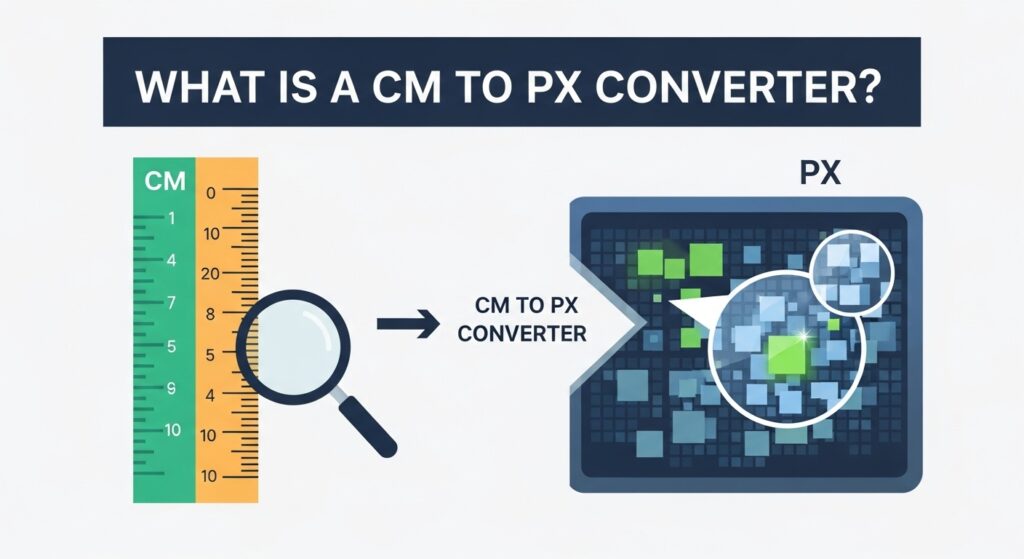
A CM to PX Converter translates centimeter (cm) values into pixel (px) units, allowing you to measure digital design elements accurately. Designers rely on this when working with responsive interfaces, print materials, or prototyping tools like Figma and Adobe Photoshop. It helps maintain proportional consistency between physical measurements and digital layouts.
For instance, when designing packaging or print banners, a converter ensures that what you see on the screen matches what gets printed. Developers use this converter to translate physical specifications into exact pixel dimensions for CSS styling, ensuring responsive web elements retain clarity and accuracy.
CM vs PX: What’s the Difference?
What Is a Centimeter?
A centimeter is a real-world, physical unit used in the metric system. In digital design, one centimeter equals 0.3937 inches, but its screen representation depends on the device’s DPI (dots per inch). DPI directly influences how many pixels fill a single centimeter.
Browsers simulate centimeters by using a reference density—typically 96 DPI—to translate CSS measurements into pixels. However, this doesn’t represent an exact physical size since screens vary in density. On a high-DPI display, a 1 cm element might appear smaller or sharper compared to standard monitors.
What Is a Pixel?
A pixel is the smallest visible point on a screen. It’s not a fixed size because different devices pack varying numbers of pixels into the same area. This concept divides into two types: device pixels (physical points on a screen) and CSS pixels (logical units defined by browsers).
Pixel density significantly affects design appearance. High-density displays, such as Apple’s Retina screens, render sharper visuals since more pixels represent the same space. Thus, converting cm to px accurately ensures designs stay crisp on all devices, from HD monitors to 4K displays.
Centimeters define physical dimensions, while pixels measure digital dimensions. The main difference lies in scalability—CM remains constant in the real world, but PX changes depending on screen resolution.

| Measurement | Type | Based On | Use Case |
| Centimeter (CM) | Physical | Metric unit | Print, real dimensions |
| Pixel (PX) | Digital | Display resolution | UI design |
To convert cm to px, use the formula:Pixels = Centimeters × (DPI / 2.54)
For example, at 96 DPI, 10 cm × (96 ÷ 2.54) = 378 px. This calculation ensures accurate translation between print-ready and web-based designs.
How to Convert CM to PX
Converting cm to pixel and vice versa requires understanding the DPI relationship. The general formulas are:
CM → PX: PX = CM × (DPI ÷ 2.54)
PX → CM: CM = PX × (2.54 ÷ DPI)
For instance, if you need to convert 10 cm at 96 DPI, it equals 378 px. However, at 300 DPI—commonly used for printing—the same 10 cm equals 1181 px. Different DPI settings create drastically different results, influencing both print sharpness and web clarity.
CM to PX Conversion Table
Here’s a quick reference table to visualize conversions across different DPIs:
| Centimeters | 96 DPI | 300 DPI |
| 1 cm | 37.8 px | 118.1 px |
| 5 cm | 189 px | 590 px |
| 10 cm | 378 px | 1181 px |
| 1080 px | 28.6 cm | 9.1 cm |
For better understanding, if your design uses inches, you can convert CM → Inches → PX using the chain formula:1 inch = 2.54 cm and 1 inch = DPI pixels.
When Should You Convert CM to PX?
Designers use pixels for web and UI layouts because pixels define digital precision. For instance, CSS properties like padding, margin, and image scaling rely on pixel units. In contrast, centimeters are vital in print design, where exact size and proportions matter for physical outputs.
Applications such as Figma, Illustrator, and Photoshop integrate both units seamlessly. Figma designers often work in pixels for screen interfaces but switch to centimeters for mockups or print presentations.
How to Use the CM to PX Converter
Using the online CM to PX Converter tool is simple. Enter your centimeter value, select your DPI (commonly 96 or 300), and the tool instantly outputs the corresponding pixel value. It provides high-precision results for print, digital, or UI layouts.
This cm to pixel converter uses a live calculation method, ensuring accurate and responsive updates for every input. Designers can test different values for side-by-side comparison to achieve perfect scale consistency across devices.
Frequently Asked Questions About CM to PX
How many pixels is 1 cm?
At 96 DPI (dots per inch), which is standard for most screens, 1 cm equals about 37.8 pixels. The number can change if your screen uses a different DPI setting—higher DPI means more pixels in the same space, resulting in sharper visuals.
How many pixels is 3.5 cm × 4.5 cm?
Using the cm to pixel formula at 96 DPI,Pixels = Centimeters × (DPI / 2.54)
So, 3.5 cm × 4.5 cm = 132.3 px × 170.1 px approximately.
If the image is for print at 300 DPI, the same size becomes about 413.4 px × 531.5 px for higher resolution.
How many cm is 1920×1080?
At 96 DPI, you can reverse the formula:Centimeters = Pixels × (2.54 / DPI)
So, 1920 px = 50.8 cm wide and 1080 px = 28.6 cm high.
On a 300 DPI display or print layout, the same resolution would measure 16.3 cm × 9.1 cm, showing how DPI affects physical dimensions.
How many centimeters is a pixel?
On a 96 DPI screen, 1 pixel equals about 0.02646 cm.
This means roughly 38 pixels fit in one centimeter. However, this value changes on screens with different pixel densities—modern Retina or 4K monitors have smaller, denser pixels.
What’s the formula for cm to px conversion?
The general formula is:Pixels = Centimeters × (DPI / 2.54)
To reverse it, use:Centimeters = Pixels × (2.54 / DPI)
Here, 2.54 cm = 1 inch, and DPI stands for how many pixels fit into one inch. For most web designs, 96 DPI is the standard, while 300 DPI is used for printing to maintain sharp quality.
Related Converters and Tools
If you frequently switch between different measurement systems, try our related converters for greater flexibility:
Final Thoughts
Mastering cm to pixel conversion bridges the gap between the physical and digital design worlds. It’s a simple yet powerful skill that ensures every interface, print, or layout looks exactly as planned. Designers who rely on precise conversions maintain visual harmony, no matter where their work appears—on paper, mobile screens, or giant displays.

I’ve spent over 8 years working across SEO, WordPress development, Laravel, and UI/UX design, helping businesses improve their websites, search visibility, and overall digital presence. My experience includes on-page and off-page SEO, technical optimization, content strategy, WordPress development, and user-focused design for a range of clients and businesses.
Over the years, I’ve worked with teams including Skyray Ventures, Dotrefl, and ESPA Builders, combining technical development with digital marketing to deliver practical, measurable results.
I’m currently developing Laravel-based web applications at Princess Tourism while also growing LayersPilot, a digital services platform focused on SEO, web design and development, and website customer care.
One project I’m particularly proud of is Catch Head, an AI-powered lead generation platform developed by my team and presented at the Microsoft Imagine Cup at the national level.
I’m especially interested in SEO, Generative AI, prompt engineering, and AI-driven content strategy, and I enjoy connecting with businesses and professionals looking to strengthen their online presence through technology and search.